
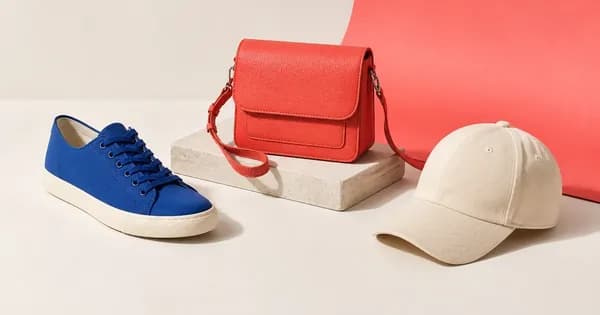
Image to Layers AI
Turn any flat image into editable transparent layers with AI
Category
Recommended for
- Solo / Indie
- Idea-Stage
- Pre-Seed
SSIE
Stage Fit Recommendations
Following data shows why Image to Layers AI is recommended for listed teams. The Fit Score represents the percentage fit of Image to Layers AI to each company stages, as calculated by the SSIE.
Stage
Fit Score
Fit Reasons
Solo / Indie
$0–$2,000 MRR
91- AI splits image into editable transparent PNG layers
- Buy credit packs with direct checkout
- Encryption in transit for data
- Trial plan, $5/mo
Idea-Stage
$0
91- Upload and get layers in about a minute
- Exports to Photoshop Figma After Effects Canva
- Delete tasks and account data anytime
- Trial plan, $5/mo
Pre-Seed
$0–$10k MRR
90- Commercial-use licence with any paid pack
- Watermark-free exports on any paid pack
- Email and in-app support ticket
- Trial plan, $5/mo

Description
Turn any image into editable layers with AI. Upload a picture and get the subject, background, and objects as separate transparent PNG (RGBA) layers in about a minute. Works in Photoshop, Figma, or After Effects. Ideal for designers, motion artists, and developers who need quick, clean layer stacks without manual masking.

Save to collection
Pricing
Paste your product url
Live within 24 hours.
Free. No credit card.
Reviewed by a human. SSIE Fit Scoring.
Explore similar products

ZeroBG
Remove photo backgrounds in the browser and pay only for the HD images you keep
Photo Editing•Freemium+2

Plimo
AI images and videos from trending templates or your idea
Photo Editing•Freemium+3

Tancky AI
AI Image Combiner & Photo Merger Online Free | Tancky AI
Photo Editing•Freemium+2
EditTextInImage
Edit text in images online: replace the words, keep the font, color and background.
Photo Editing•Freemium+2
Image to Layers AI
Turn any flat image into editable transparent layers with AI
Photo Editing•Freemium+1

qwenimage 21
Turn every idea into a vivid image.
Photo Editing•Freemium+2

Image2Layer
Separate images into editable layers using AI for PSD, PNG, and ZIP exports.
Photo Editing•Freemium+4
Make Image Transparent
Make images transparent with AI for design and marketing purposes.
Photo Editing•Freemium+4
The Influencer AI
Generate consistent AI influencer content including photos, videos, and lip-sync for creators and brands
Photo Editing•Freemium+4

FaceSwapAI
Online AI face-swapping tool for photos, groups, videos and GIFs with a free trial and one-time paid credits
Photo Editing•Freemium+3
Save to collection
Explore similar products
ZeroBG
Remove photo backgrounds in the browser and pay only for the HD images you keep
Photo Editing•Freemium+2
Plimo
AI images and videos from trending templates or your idea
Photo Editing•Freemium+3
Tancky AI
AI Image Combiner & Photo Merger Online Free | Tancky AI
Photo Editing•Freemium+2
EditTextInImage
Edit text in images online: replace the words, keep the font, color and background.
Photo Editing•Freemium+2
Image to Layers AI
Turn any flat image into editable transparent layers with AI
Photo Editing•Freemium+1
qwenimage 21
Turn every idea into a vivid image.
Photo Editing•Freemium+2
Image2Layer
Separate images into editable layers using AI for PSD, PNG, and ZIP exports.
Photo Editing•Freemium+4
Make Image Transparent
Make images transparent with AI for design and marketing purposes.
Photo Editing•Freemium+4
The Influencer AI
Generate consistent AI influencer content including photos, videos, and lip-sync for creators and brands
Photo Editing•Freemium+4
FaceSwapAI
Online AI face-swapping tool for photos, groups, videos and GIFs with a free trial and one-time paid credits
Photo Editing•Freemium+3